WhatsApp Lead Response for Clinics: Turn Enquiries into Patients 24/7
The High Cost of Missed Calls in Private Practice
I spoke to a practice manager in Manchester last week who told me they get about twelve enquiries every weekday through their website contact form. Good news, right?

Not quite. When they finally dug into the numbers, they found they were responding to fewer than half within 24 hours. The rest? They got back to them eventually—usually three or four days later—by which point most had already booked consultations elsewhere.
This is the “leaky bucket” reality of private healthcare in the UK. You’re spending a fortune on Google Ads, SEO, maybe even some local radio spots. The leads are coming in. But somewhere between the enquiry and the booking, they’re vanishing. And honestly, it’s not because your services aren’t good enough.
It’s because someone picked up the phone faster than you did.
Private patients paying out of pocket for elective procedures operate on a completely different timeline than NHS patients. They’re not waiting six weeks for a referral. They’re shopping. Right now, this evening, probably whilst half-watching Netflix. The first clinic that responds with actual availability? That’s often the one that wins the business, regardless of whether you’ve got better surgeons or newer equipment.
The front-desk bottleneck is real, and I’m not blaming your reception staff. They’re trying to check in Mrs. Patterson who’s arrived twenty minutes early, reschedule Mr. Ahmed’s follow-up because he’s got a work conflict, field a call from a pharmaceutical rep, and oh—answer three enquiry calls before lunch. Something has to give.
Enter digital triage. Not the NHS kind where you wait 72 hours for a callback. I’m talking about using WhatsApp automation to instantly acknowledge enquiries, ask basic qualifying questions, and route genuinely urgent matters to a human, all without anyone on your team lifting a finger until there’s an actual appointment ready to book.
This isn’t science fiction. The NHS is already piloting it for cancer screening appointments. If they trust it for that, you can definitely use it to stop haemorrhaging revenue through delayed responses.
Here’s what we’re covering: how to set up a 24/7 WhatsApp lead response system that captures enquiries the moment they come in, qualifies them automatically, books appointments whilst you sleep, and (this bit’s important) frees your staff to do the human-level work that actually requires judgement and empathy.
The Shift in UK Patient Behaviour: Why WhatsApp?
Here’s a stat that surprised me when I first saw it: one in three Brits now prefer reaching customer service through WhatsApp rather than calling or emailing. According to Marketing Tech News, that’s not a niche preference anymore. That’s mainstream.
Think about your own phone habits for a second. When was the last time you voluntarily called a company to ask a question? Exactly. We’ve all collectively decided that holding for “the next available agent” whilst listening to royalty-free jazz is a form of torture.
And the attention is already there. Research shows 48% of people are on their phones between four and eight hours daily. They’re scrolling, messaging, occasionally pretending to work. Your potential patients are already in WhatsApp, probably right now. Shouldn’t your clinic be there too?
The Instant Expectation Problem
Here’s where it gets sticky for traditional clinic systems. You’ve probably got a patient portal. Maybe it’s quite good. But be honest—how many steps does it take for a new enquiry to book a consultation through it?
First they submit a contact form. Then they wait for an email (which might land in spam). Then they click a link to create an account. Then they verify their email. Then they log in. Then they navigate a calendar interface that was clearly designed by someone who’s never actually booked an appointment on a mobile phone.
Contrast that with WhatsApp. They message you. You respond instantly (well, your automation does). They answer two or three questions in a natural conversation. They pick a time slot. Done. Booked. The entire thing takes maybe ninety seconds.
That difference matters more than you’d think. Every extra step is a chance for them to get distracted, or frustrated, or to get a faster response from the clinic down the road.
Debunking the Age Myth
I can already hear the objection: “But our patients are older. They don’t use WhatsApp.”
Respectfully, that’s outdated thinking. WhatsApp penetration in the UK is massive across all age groups, including the over-50s who are your primary demographic for most elective procedures—cosmetic work, joint replacements, cataract surgery, fertility treatments.
Your 62-year-old patient might not be on TikTok, sure. But they’re definitely messaging their kids and grandkids on WhatsApp. They know how it works. They’re comfortable with it. And more importantly, they appreciate the convenience of not having to call during “office hours” when they’re at work themselves.
Defining the ‘Digital Triage’ System for Clinics

So what actually is digital triage in this context? It’s not a chatbot that frustrates people with canned responses. At least, it shouldn’t be.
Think of it more like an intelligent routing system that handles the administrative grunt work so humans can focus on the nuanced conversations. When a message comes in, the system needs to figure out: Is this someone asking about pricing for a specific procedure? Is this a current patient with a post-op question? Is this someone who needs urgent clinical attention? Or is this just someone who wants to know where to park?
Each of those needs a different response path. Pricing questions can be handled with pre-approved template messages and maybe a PDF brochure. Post-op questions need to be flagged for clinical review within a specific timeframe. Urgent concerns need a human immediately. And the parking question? That can be answered by a bot linking to your website.
Moving Beyond Basic Chatbots
Intent recognition is the keyword here. Early chatbots were rubbish because they worked on exact keyword matching. You’d type “I need help with pain” and it would cheerfully respond with “Would you like to book an appointment?” whilst completely missing that you’re describing a potential emergency.
Modern API-based solutions—and I’m talking about properly configured ones, not plug-and-play garbage—can categorize intent with surprising accuracy. They’re looking at context, not just keywords. They understand that “I’m interested in finding out more” and “Can you send me pricing information?” are probably the same intent, even though they use completely different words.
Why does this matter? Because it determines what happens next. A genuine pricing enquiry gets routed to your automated quote flow. A booking request gets sent to the calendar integration. A medical concern gets escalated to a patient coordinator who can triage whether it needs same-day attention.
The Triage Workflow in Practice
Let me walk through what this actually looks like when it’s working properly.
New message arrives at 7:43 PM on a Tuesday (your reception staff left at 5:30). The system immediately sends an acknowledgment: “Thanks for your message! I can help you with that. Are you enquiring for yourself or someone else?”
Patient responds: “For myself.”
System: “Great. What can we help with today?” (presents buttons: New consultation | Existing patient question | Pricing information | Other)
Patient taps “New consultation.”
System: “Which service are you interested in?” (dynamically pulls your service list from your CRM)
Patient selects “Knee replacement.”
Now here’s where it gets clever. The system knows that knee replacement enquiries should be routed to your orthopaedic coordinator, not your general booking team. It also knows to ask: “Do you have a GP referral letter?” and “What’s your approximate timeline—urgent (within 2 weeks), soon (within 2 months), or just exploring options?”
By the time a human reviews this conversation the next morning at 9 AM, they’ve got a pre-qualified lead with all the essential information already collected. They’re not starting from scratch. They’re having a much more valuable conversation about specific availability and clinical suitability.
The 24/7 ‘Virtual Receptionist’
Revenue recovery happens here. Studies on enquiry timing consistently show that 40% or more of private healthcare enquiries come in outside standard office hours. Evenings, weekends, that weird dead zone between Christmas and New Year when everyone’s off but people are definitely thinking about their health goals for January.
Without automation, those enquiries sit unacknowledged until Monday morning. And by Monday morning, at least half of them have moved on.
With automated digital triage, the patient gets an instant response. They might not get a human immediately, but they get acknowledgment. They get their question answered or their information collected. They stop browsing competitors because they feel heard.
Out-of-Hours Capture
That instant acknowledgment is psychologically powerful. It stops the competitive shopping behaviour dead. Even if the automated message says “A member of our team will call you tomorrow between 9-10 AM to discuss availability,” that’s infinitely better than radio silence.
I’ve seen clinics assume their patients only enquire during business hours because that’s when they receive messages. Well, actually, that’s when they notice messages. The 11 PM enquirers had already given up and gone elsewhere by morning.
WhatsApp Business App vs. WhatsApp Business API: Choosing the Right Tool
Here’s where a lot of clinics make an expensive mistake. They hear “WhatsApp for business” and they download the free WhatsApp Business app, stick it on the reception phone, and wonder why it creates more problems than it solves.
The Business App is fine for a sole trader or a very small practice with one person handling all patient communication. But for anything larger than that? It’s a liability.
The Limitations of the Standard Business App
The biggest issue is that it’s tied to a single device. One phone. One person. When that person is on holiday, or off sick, or—this is where it gets properly problematic—leaves your employment, what happens to all those patient conversations sitting in the app on their phone?
Single User Limits and GDPR Risks
I know a dermatology clinic in Bristol that discovered, after a front desk staff member left, that about six months of patient WhatsApp conversations existed solely on her personal device. They had no backup. No audit trail. And definitely no way to access it for continuity of care.
That’s a GDPR nightmare waiting to happen. Patient data living on personal devices, no centralized record-keeping, no way to ensure information is being handled consistently or securely.
Lack of Automation
The Business App also can’t integrate with anything. It doesn’t talk to your practice management system. It doesn’t sync with your CRM. It doesn’t automate responses based on time of day or message content. It’s just WhatsApp with a business profile. That’s it.
Which means you’re still manually responding to every single message, during business hours only, with no way to handle volume spikes or ensure consistent response times.
The Power of the API for Healthcare
The WhatsApp Business API is a completely different beast. This isn’t an app you download. It’s an enterprise-grade system you access through a Meta-approved Business Solution Provider (they call them BSPs, because everyone in tech loves acronyms).
The difference is night and day.
Multi-Agent Access
Multiple people can access the same inbox—your front desk, your patient coordinators, your practice manager, even clinicians if needed—all simultaneously, all with proper permission controls. Everyone sees the same conversation history. No information silos.
Verified Green Tick
You get the green verified tick next to your business name, which sounds superficial but actually matters a lot for patient trust. Anyone can create a WhatsApp account claiming to be your clinic. The verified badge proves you’re legitimate.
Template Messaging
And here’s the big one: template messaging. Meta requires businesses to use pre-approved message templates when initiating conversations (to prevent spam). These templates can be incredibly sophisticated—appointment reminders, test result notifications, post-procedure check-ins—all fully compliant with Meta’s policies and, when properly configured, with UK healthcare regulations.
You can also integrate the API with your existing tech stack. When someone books through WhatsApp, it automatically creates a patient record in your system. When you send an appointment reminder, it’s pulling real-time data from your calendar. When a patient asks about their last invoice, the system can retrieve it from your billing software.
That level of integration transforms WhatsApp from “another messaging channel we have to monitor” into a central hub for patient communication.
Phase 1: Automating Lead Capture and Qualification

Right, let’s get into the actual mechanics. How do you turn a raw enquiry into a qualified lead without human intervention?
Speed to Lead
The metric that matters here is “speed to lead.” There’s research across multiple industries (not just healthcare) showing that responding to an enquiry within five minutes versus responding within an hour can increase conversion rates by 400% or more. I’m honestly surprised the gap is that dramatic, but the studies are pretty consistent on this point.
Zero-minute response time—which is what automation gives you—essentially ensures you’re always first. The patient messages you, and before they’ve even put their phone down, they’ve got a response. That creates a powerful psychological commitment. They’re already in conversation with you.
Pre-Qualification Questions
The trick is asking the right questions in the right order. You need to collect enough information to route the enquiry properly, but not so much that it feels like an interrogation.
Start with intent. “What can we help with today?” Keep it open-ended but provide menu options to make it easy. Most people will tap a button rather than type a paragraph.
Then get specific based on their answer. If they’re asking about a cosmetic procedure, you might ask: “Is there a particular area you’d like to address?” If it’s a knee issue: “How long have you been experiencing symptoms?” If it’s fertility treatment: “Is this your first consultation or are you transferring care?”
These aren’t just information-gathering questions. They’re qualification questions. They help you determine whether this is a serious enquiry or someone in the very early research phase. Both are valuable, but they need different handling.
A patient who says “I’ve had chronic knee pain for two years and my GP suggested I consider private treatment” is qualified and ready to book. Someone who says “I’m just starting to research options” needs nurturing, not a hard sales push.
Filtering Time-Wasters
Look, this sounds harsh, but not every enquiry is worth your expensive human time. The person asking where to park shouldn’t require your patient coordinator to stop what they’re doing and respond. Neither should “What are your opening hours?” or “Do you accept insurance?” when those answers are clearly stated on your website.
A good automation system can handle these instantly. “Our clinic is located at [address]. We have free patient parking at the rear of the building. Here’s a map: [link].” Done. Question answered. Patient happy. Zero staff time consumed.
This isn’t about being dismissive. It’s about reserving your team’s energy for the conversations that require judgement—discussing treatment options, addressing concerns, building rapport with nervous patients.
The automation should make it easy to escalate to a human at any point. A simple “Speak to someone” button that appears in every automated message works well. But you’d be surprised how many people are perfectly happy getting quick automated answers to simple questions.
Data Injection
Here’s where the compound efficiency starts kicking in. Every piece of information the patient provides during that automated conversation should be flowing directly into your CRM or practice management system.
Their name, their phone number, their treatment interest, their timeline, their referral status—all of it captured, structured, and stored without anyone manually entering data.
Manual data entry is where errors happen. It’s also a massive time sink. If your front desk is spending thirty minutes a day copying information from WhatsApp conversations into your system, that’s thirty minutes they could be spending on revenue-generating activities or actual patient care.
Most modern CRMs (HubSpot, Salesforce, even healthcare-specific platforms like Pabau or Semble) have API connections that make this synchronization relatively straightforward. Well, straightforward if you’ve got someone technical setting it up. It’s not exactly plug-and-play, but it’s not rocket science either.
Phase 2: Seamless Appointment Booking and Scheduling
Qualification is one thing. Conversion is another. You can have the most perfectly qualified lead in the world, but if booking the actual appointment is a hassle, you’ll still lose them.
Integration with your Practice Management System becomes essential here—not just nice-to-have.
Integration with PMS
Real-Time Availability
The gold standard is real-time calendar integration. The patient is chatting with your WhatsApp system, they say they want to book, and the system immediately checks your clinician’s actual calendar for availability.
“Dr. Sharma has availability this Thursday at 2:30 PM or Friday at 10:00 AM. Would either of those work?”
Not “someone will call you to schedule.” Not “here’s a link to our booking portal.” Right there, in the conversation, they can select a time and book it.
This requires your WhatsApp system to be connected to whatever software manages your calendars. If you’re using something like Acuity or Calendly, this is fairly straightforward—they have API connections built for this. If you’re using a healthcare-specific PMS, it might require some custom development work, but it’s absolutely doable.
Reducing Friction
Think about how many steps a typical clinic booking process involves. Call during office hours. Speak to reception. Get put on hold whilst they check availability. Get called back if you missed the call. Play phone tag for two days. Finally book an appointment.
Or: message any time. Get instant availability. Pick a slot. Receive confirmation. Done.
The second option converts at a dramatically higher rate because every extra step in a process is a dropout point. (Okay, you probably knew that already.) But somehow we forget it when we move to healthcare.
People will abandon shopping carts with hundreds of pounds of products if you ask them to create an account. But we expect patients to jump through hoops to spend thousands on private treatment? The logic doesn’t track.
The NHS Pilot Precedent
I know what you’re thinking: “This sounds risky. Is this actually proven in healthcare?”
Fair question. And the answer is yes—the NHS themselves are testing it.
Validation
According to Building Better Healthcare, there’s a pilot program in North Central London where they used WhatsApp and AI for cancer screening appointment scheduling. Patients involved were “so impressed” with the convenience, according to the NCL Health and Care feedback reports.
Success Metrics
This wasn’t just for routine checkups, either. Cancer screening—sensitive, important, time-critical appointments. And the NHS, which moves slowly on technology adoption for good reason, approved it as their first WhatsApp-based appointment system.
If it’s good enough for the NHS to book screening appointments for underserved populations, it’s definitely solid enough for you to book private consultations.
The pilot specifically targeted groups with historically low uptake, and the WhatsApp booking option measurably improved attendance. That’s evidence that the channel itself reduces barriers, which is exactly what you want for lead conversion.
Phase 3: Reducing No-Shows with Smart Reminders

Right, you’ve captured the lead, qualified them, booked the appointment. Brilliant. Now you need to make sure they actually show up.
No-shows are a revenue killer in private practice. That slot could have been filled by someone else. You’ve potentially prepped for a procedure. You’ve blocked clinical time. And now you’re sitting idle whilst someone who forgot or got cold feet costs you money.
The Email Open Rate Problem
Email reminders don’t work as well as you think. The average email open rate across industries hovers around 21.7%. Healthcare is slightly better, but still—if you’re sending appointment reminders by email alone, more than three-quarters of your patients might not even see them. Though I’ll note: “open rate” as a metric has become increasingly unreliable since Apple’s mail privacy changes, so take that figure with some skepticism.
WhatsApp message open rates? 98%, according to LiveseySolar. That’s not a typo. Nearly everyone who receives a WhatsApp message will at least open it, usually within minutes.
Actionable Reminders
But here’s where most clinics get it wrong. They send a reminder that says “You have an appointment tomorrow at 2 PM.” That’s better than nothing, but it’s passive. It doesn’t give the patient an easy way to respond.
Smart reminders have action buttons built right in: “Confirm,” “Reschedule,” or “Cancel.”
If the patient confirms, great—you’ve got certainty. If they reschedule, you’ve still got them in the books and you’ve got advance notice to fill the slot. If they cancel, at least you know immediately rather than discovering it when they don’t show up.
This also creates accountability. When someone has to actively confirm an appointment, they’re psychologically more committed to showing up. It’s the same principle as writing down a goal versus just thinking about it.
Timing matters too. Send the reminder too early and they’ll forget again. Too late and they can’t rearrange their schedule if needed. The sweet spot seems to be 48 hours before for the first reminder, then 24 hours if they haven’t confirmed.
Backfilling Slots
Here’s a clever bit: when someone cancels via the automated message, the system can immediately ping patients on your waitlist. “We’ve had a cancellation for Wednesday at 3 PM—are you available?”
This kind of dynamic slot management is nearly impossible to do manually in real-time. By the time your receptionist notices the cancellation, calls through a waitlist, and books a replacement, the slot’s probably too soon to fill.
Automated systems can make this happen within minutes. Someone cancels at 2 PM on Tuesday. By 2:15 PM, three waitlist patients have been offered the slot. By 2:30 PM, it’s rebooked. You’ve lost zero revenue.
Impact Stats
Research from Swiftsell (2025) shows that automated reminder systems can reduce no-shows by 30%. If you’re running fifty appointments a week and ten percent typically no-show, you’re losing five appointment slots weekly. A 30% reduction means you recover about eighteen patient slots per month. Worth noting: Swiftsell sells automation software, so they’ve got skin in the game on that stat. Still, the directional finding matches what I’ve seen anecdotally.
Multiply that by your average consultation fee and you can quickly calculate the ROI of the system.
Managing Clinical Risks: The Human-in-the-Loop
Alright, let’s talk about the elephant in the room. Healthcare isn’t retail. You can’t just automate everything and walk away.
There are clinical risks, regulatory requirements, and—most importantly—actual human beings with real health concerns that sometimes need immediate human attention.
When to Escalate to a Human
Automation should handle routine administrative tasks, but it must be smart enough to know when to escalate to a person. And I mean immediately, not “we’ll get back to you in 24 hours.”
Identifying Red Flags
The system needs to be configured with trigger keywords and phrases that immediately alert clinical staff. “Chest pain.” “Severe bleeding.” “Can’t breathe properly.” “Sudden vision loss.” These aren’t enquiries that can wait for your patient coordinator to review the queue tomorrow morning.
When these phrases appear, the automation should do two things simultaneously: send an immediate automated response (“This sounds urgent. We’re alerting our clinical team right now, and someone will call you within 15 minutes. If this is an emergency, please call 999.”) and trigger an alert to on-call staff.
This is genuinely important. I’ve seen clinics get excited about automation and inadvertently create situations where urgent messages get queued alongside routine pricing questions. That’s dangerous.
Complex Queries
Some questions just can’t be answered by automation, even sophisticated automation. “I had a hip replacement six months ago and I’m experiencing occasional stiffness—is this normal?” needs clinical judgement. It might be completely normal healing. It might be early warning signs of something serious.
An automated system can acknowledge the question and say something like: “Thanks for reaching out. Questions about symptoms after a procedure need to be reviewed by one of our clinicians. I’ve flagged this for review, and a member of our clinical team will respond by [specific time]. If your symptoms worsen or you’re concerned, please call us directly on [number].”
That’s honest. It’s safe. It manages expectations. And it ensures a qualified person actually reviews the question.
The handover from bot to human should feel seamless from the patient’s perspective. They shouldn’t feel like they’ve been bounced from department to department. The human picking up the conversation should have full context of everything the patient’s already said.
The ‘Triage’ Mindset
This entire system works because it’s modeled on triage—the concept of prioritizing by urgency and routing to the appropriate level of care. Just like an A&E nurse doesn’t treat every patient the same, your automated system shouldn’t treat every enquiry the same.
Non-Diagnostic Approach
But it’s crucial that automated messages never cross the line into medical advice. Every response should be clearly administrative in nature. You’re helping them book appointments, access information, and navigate your services. You’re not diagnosing or prescribing.
Setting Expectations
This should be explicitly stated in your automated introduction message: “This chat system is for booking appointments and general enquiries only. It’s not a substitute for medical advice. If you have a medical emergency, call 999.”
Set that boundary clearly from the start, and most patients will respect it.
GDPR, Compliance, and Record Keeping in the UK
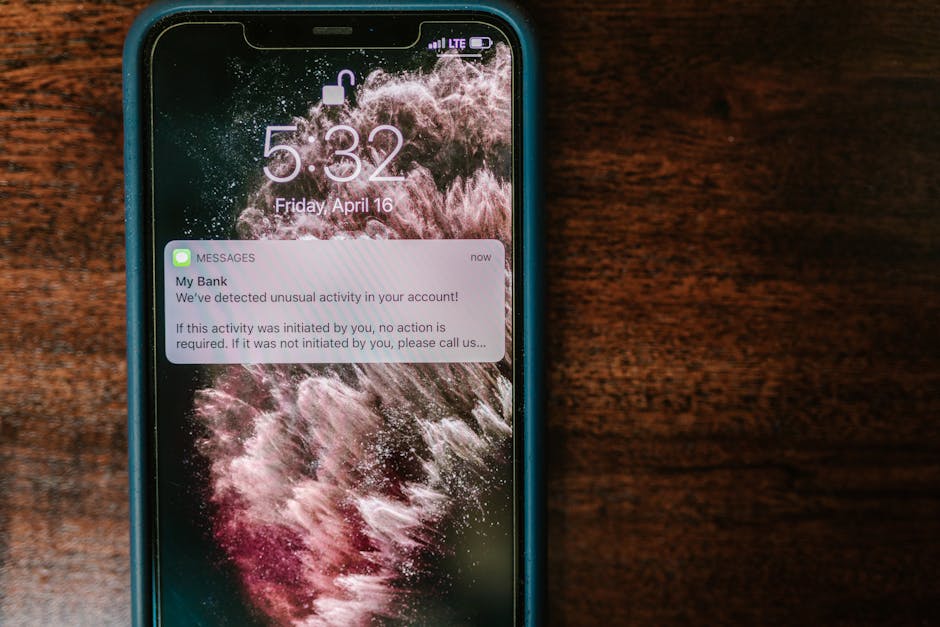
Let’s talk about the unfun stuff. Compliance. Data protection. All the things that make clinic managers reach for coffee.
WhatsApp as a platform presents specific challenges under UK GDPR and healthcare record-keeping requirements. But they’re solvable challenges, not dealbreakers.
The Challenge of Informal Messaging
Shadow IT Risks
There’s actually academic research on this. A paper from NCBI (reference PMC8708459 if you want to look it up) examined how clinicians use WhatsApp in practice and highlighted the record-keeping nightmare it creates.
The fundamental problem: if patient conversations are happening in WhatsApp on staff personal phones, how do you ensure those communications are properly documented in the patient’s medical record?
You can’t, really. You’re relying on someone to manually copy relevant information across. Which sometimes happens, often doesn’t, and creates huge gaps in continuity of care.
If a patient later says “I told the clinic about that symptom two months ago and nobody did anything,” but the conversation happened in WhatsApp and was never logged in their file, you’ve got a serious problem.
This is what regulators mean by “shadow IT”—systems and communication channels operating outside official procedures. It’s a massive liability.
The Solution
The WhatsApp Business API approach solves this because the data doesn’t live on personal devices. It lives in a centralized system that your entire team accesses through a web dashboard or integrated into your PMS.
Every message is logged automatically. Every conversation is attached to a patient record. There’s a complete audit trail of who said what and when. If a staff member leaves, nothing goes with them because nothing was on their device to begin with.
This isn’t just convenient. It’s essential for compliance. The ICO (Information Commissioner’s Office) has been increasingly clear that healthcare providers must have proper control over patient communications. You can’t just let patient data float around on unmanaged devices.
Data Retention and Consent
Opt-In Protocols
Under GDPR, patients have the right to know what data you hold about them, how you’re using it, and they can request deletion (the “right to erasure” or “right to be forgotten”).
Your WhatsApp system needs to accommodate this. If a patient requests their data, you need to be able to extract all their message history. If they request deletion, you need to be able to remove it from your systems.
Most reputable BSPs build these capabilities in. But you need to ask about it explicitly during setup. Can you export conversation data? Can you delete specific patient records? How long is data retained before automatic deletion?
For marketing messages specifically, UK law is strict about consent. You can’t just add someone to a broadcast list because they enquired once. They need to actively opt in to marketing communications. And you need to make it easy to opt out.
Transactional messages are different. Appointment reminders, test results, post-procedure check-ins—these are part of providing the service, not marketing. You don’t need separate consent for those. But you do need to be clear about what’s what.
Right to Erasure and PMS Logging
The technical implementation here matters. Your WhatsApp conversations shouldn’t exist in a silo. They should automatically sync to the patient’s official record in your PMS.
When you configure the integration, you’re essentially saying: “Any WhatsApp conversation with this patient phone number should be attached to this patient ID in our system.” Then all messages get appended to their file as they happen.
When a clinician opens the patient’s chart before a consultation, they can see the full communication history—emails, phone notes, and WhatsApp messages—all in one place. That’s proper continuity of care.
Leveraging WhatsApp for Post-Procedure Aftercare
We’ve mostly talked about WhatsApp for the front end of the patient journey—enquiry to booking. But there’s massive value in using it for the back end too.
Post-procedure care is where a lot of private practices drop the ball. The patient’s paid, the procedure’s done, and follow-up becomes inconsistent. Maybe they get a phone call a week later. Maybe they don’t.
WhatsApp lets you systematize aftercare in a way that feels personal, not automated.
Automated Check-Ins
Set up automated messages triggered by the procedure date. Day one: “How are you feeling today? Any concerns or unexpected symptoms?” Day three: “You should be starting to notice [expected recovery milestone]. Are you experiencing this?” Day seven: “We hope your recovery is going well. Do you have any questions for your surgeon?”
These messages feel caring because they’re timely and specific. They’re not generic “hope you’re well” messages. They’re tied to the expected recovery timeline.
And they’re useful clinically. If a patient responds on day three saying “Actually, I’m experiencing quite a lot of swelling,” you can intervene early before it becomes a complication requiring emergency care.
Media Sharing
This is genuinely clever. For procedures where visual monitoring matters—surgical incisions, skin treatments, dental work—you can ask patients to send photos through WhatsApp.
“Could you send us a photo of the incision site? This helps us monitor your healing without you needing to come in for an unnecessary appointment.”
The photo arrives in the chat, gets logged to their patient record, and a clinician can review it and respond: “Looks perfect, healing as expected” or “Let’s get you in tomorrow to check that more closely.”
This saves the patient a trip (which they appreciate) and saves you unnecessary appointment slots (which you appreciate). It also catches issues early when they’re easier to address.
Obviously you need to be careful about security here. WhatsApp uses end-to-end encryption, which is good. But you still need clear policies about medical image handling and storage.
Educational Drips
Rather than handing someone a stack of printed aftercare instructions that they’ll probably lose, you can send them the information progressively through WhatsApp.
Day one post-op: “Here’s what to expect in the first 48 hours” (PDF guide).
Day three: “When to start gentle movement” (short video demonstration).
Week two: “Scar care and what’s normal” (link to detailed article).
People actually read these because they arrive when they’re relevant. Giving someone information about week-three recovery on the day of the procedure is pointless—they’re overwhelmed and won’t retain it. Sending it in week three? They’ll actually use it.
Patient Satisfaction
Solid evidence shows that proactive aftercare communication improves patient satisfaction scores and NPS (Net Promoter Score—basically “would you recommend us?”).
Patients feel looked after. They feel like the clinic cares about outcomes, not just collecting fees. And when something does go wrong, they’re much more likely to contact you first rather than leaving a scathing Google review because they felt abandoned.
That last point isn’t trivial. One bad review can cost you multiple future patients. The investment in automated aftercare pays for itself many times over just in reputation protection.
Marketing Benefits: Reactivating Dormant Leads
Here’s a use case that surprised me when I first learned about it: using WhatsApp to resurrect leads that went cold months ago.
Every clinic has a database of people who enquired, maybe even booked a consultation, but then ghosted. They didn’t cancel formally. They just… disappeared. Some got busy. Some got nervous. Some went elsewhere but weren’t thrilled and might reconsider.
That’s your dormant lead database. And it’s probably worth a fortune if you can reactivate even a small percentage.
Database Awakening
Let’s say it’s January. You know from experience that January is when people finally act on procedures they’ve been considering since summer. Cosmetic procedures, weight loss treatments, fertility consultations—all spike in the New Year resolution window.
You can send a WhatsApp broadcast to everyone who enquired about relevant services in the past 6-12 months: “Hi Sarah, You enquired about our laser skin treatments last summer. We’ve just opened up new appointment slots for January and have a special offer for previous enquirers. Would you like to hear more?”
The key is making it personal and relevant. You’re not spamming everyone in your database. You’re targeting people who already expressed specific interest in a specific service.
And because it’s WhatsApp, response rates are dramatically higher than email. People actually see the message.
Promotional Broadcasts
Broadcast messages (WhatsApp’s version of a mass message) can work brilliantly for promotions if you segment properly.
You’ve launched a new service—say, a new non-surgical facial treatment. Rather than emailing your entire database (21% open rate, remember), you send a WhatsApp broadcast to patients who’ve had similar facial treatments before and might be interested in complementary services.
“Hi Emma, You might be interested to know we’re now offering [new treatment]. Based on your previous interest in [related service], this could be perfect for [specific benefit]. Shall I send you more information?”
That’s targeted. It’s relevant. It doesn’t feel like spam because it’s actually useful to that particular patient.
High Conversion
According to research from CareNova (2024), clinics using WhatsApp for targeted marketing campaigns saw a 65% increase in consultation bookings compared to email-only campaigns. I’m not entirely sure that figure applies equally across all clinic types and patient demographics, but even if the real number is half that, it’s still substantial.
Cost Efficiency
Think about your cost per acquisition from Google Ads. For competitive healthcare keywords, you might be paying £15-50 per click, and only a small percentage of clicks convert to enquiries, let alone bookings.
Reactivating an existing lead through WhatsApp costs you basically nothing. You’ve already paid to acquire that lead. You’re just re-engaging them through a more effective channel.
Even if you only convert 5% of dormant leads, the ROI is spectacular compared to cold acquisition. And honestly, 5% is conservative. With proper segmentation and timing, conversion rates of 15-20% aren’t unrealistic.
Tech Stack: What You Need to Build This System
Alright, let’s get practical. You can