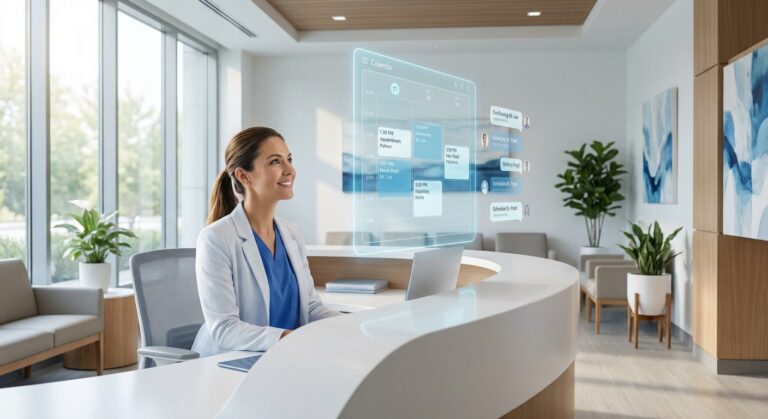
Patient Intake Automation for Medical Practices: Eliminate Manual Data Entry
The Bottleneck Nobody Wants to Talk About

Look around any medical practice at 8:45 AM on a Monday. What do you see? Three front desk staff hunched over keyboards, squinting at patient forms on one screen while clicking through their EHR on another. A line forming. Phones ringing.

This is the front desk bottleneck, and it’s eating roughly 40% of your administrative staff’s day. They’re doing what we politely call “data entry” but what’s really just digital transcription—copying information from a supposedly modern patient portal into your supposedly sophisticated EHR. Character by character.
You’ve probably heard someone in your practice say, “But we have automation! Patients fill out forms on the iPad!” That’s where things get muddy. Having an iPad in your waiting room isn’t automation if Melissa at the front desk still has to manually transfer everything into the patient chart. That’s digitization, not automation. Big difference.
The shift happening right now in 2026 is toward what I’ll call Intelligent Workflow Automation. Not just digital forms that create another data silo, but systems that actually communicate with your EHR in its native language.
Here’s what that really means: True intake automation validates insurance coverage in real-time, creates discrete data fields directly in the EHR (not PDF attachments), and completely eliminates the “swivel chair” workflow where your staff bounces between screens like they’re playing some kind of office ping-pong. That’s the standard we should be holding ourselves to.
The Evolution of Intake: Why “Digital Forms” Are No Longer Enough
The Limitations of Standalone Portal Software
Most practices are running what I’d call “orphaned” patient portals. Patients fill them out dutifully, the data lands somewhere, and then… nothing flows into the actual medical record where it matters.
Unconnected portals create PDF attachments. Think about that for a second. You’ve got a 2026 EHR capable of incredible clinical decision support, but allergy information from your new patient comes in as a flat, unsearchable PDF that someone has to read and re-key. It’s like having a Ferrari but filling the gas tank with a teaspoon.
What creates the “swivel chair” interface is this exact setup. Front desk staff look at the portal on one screen (or print it out—yes, some practices still do this), then manually type everything into the EHR on the other screen. It’s inefficient, sure, but the bigger problem is error rates.
Transcription errors aren’t just annoying. They’re dangerous. When “penicillin allergy” becomes “penicillin” in the medication list because someone misclicked, you’ve got a clinical safety issue. When “Blue Cross PPO” gets entered as “Blue Cross HMO,” you’ve got a billing problem that might not surface until your claim gets denied three weeks later. I’ve seen both happen.
Moving Toward Interoperability-First Platforms
The market’s finally catching up to what should’ve been obvious from the start. According to the 2026 Black Book Global Healthcare IT Survey, high-velocity healthcare markets are converging on interoperability-first platforms rather than cobbling together isolated tools that don’t talk to each other.
What they’re finding is that end-to-end platform architectures—where intake is genuinely integrated with clinical workflow, scheduling, and revenue cycle management—simply work better than best-of-breed systems that require middleware to communicate.
The new standard isn’t “Does your intake solution integrate with your EHR?” It’s “How deeply does it integrate, and can the integration handle the complexity of your actual workflows?” One’s a checkbox, the other’s about whether the system will actually get used six months from now.
I’m honestly surprised it took this long for the industry to circle back to integration-first thinking, but here we are. Practices that jumped on standalone “innovative” tools in 2022 are now dealing with integration debt—the technical and operational cost of making systems work together that were never designed to cooperate. (You probably know exactly what I’m talking about.)
What is Intelligent Workflow Automation in 2026?

Defining the Tech Stack
Okay, this part’s going to sound technical, but bear with me because it matters.
Modern intake automation runs on API and FHIR integration. In plain English: these are standardized ways for software to exchange information. When your intake platform “speaks FHIR,” it can communicate with your EHR using the same data structures and terminology that the EHR itself uses internally.
Why does this matter? Because it means a patient’s medication list doesn’t arrive as a text blob that says “lisinopril 10mg daily for blood pressure.” It arrives as discrete, structured data: drug name (lisinopril), strength (10mg), frequency (daily), indication (hypertension). Your EHR can do something useful with that—check for interactions, populate prescribing workflows, flag duplicates.
Then there are logic-based forms. These aren’t static PDFs converted to web forms. They’re dynamic questionnaires that change based on patient answers. New patient? They get the full registration workflow, including pharmacy preferences and primary care physician information. Returning patient for a follow-up? They see an abbreviated form that only asks what’s changed since their last visit.
One orthopedic practice I know has different pathways for different referral sources. Workers’ comp patients get asked about injury dates and employer information. Self-pay patients get payment options upfront. Same intake system, but the experience branches intelligently.
Beyond Basic Data Collection
Validation is where things get interesting. Systems don’t just accept whatever patients type—they check data format in real-time.
Zip codes have to be five digits (or nine with the ZIP+4 format). Social Security Numbers need to match the XXX-XX-XXXX pattern. Email addresses need an @ symbol and a domain. Sounds basic, but you’d be shocked how many manual errors come from someone typing a phone number into the SSN field or entering a six-digit zip code.
More sophisticated systems validate beyond format. They check if zip codes actually exist, if phone area codes match geographic regions, if insurance member IDs follow the specific carrier’s formatting rules.
And then there are actionable triggers. Intake data starts driving downstream workflow here. A patient indicates they’re on blood thinners? The system can automatically flag that chart for the medical assistant to review before the appointment. New patient selected “anxiety” as a chief complaint? The GAD-7 screening automatically gets added to their intake packet.
I’ve seen triggers do everything from alerting billing staff when a high-deductible patient needs a payment plan discussion, to notifying lab techs when fasting bloodwork got ordered. It transforms intake from a passive data collection exercise into an active workflow coordination tool.
Core Component 1: Automated Insurance Eligibility Verification

Stopping Revenue Leakage at the Front Door
Here’s what happens in most practices: patient schedules an appointment, shows up, gets seen, and then you find out their insurance was terminated two months ago. Now you’re chasing payment for a visit that already happened, and good luck collecting that full fee from a surprised patient.
Real-time automated insurance eligibility verification flips this script entirely. Automation checks coverage status, active benefits, co-pay amounts, deductible information, and remaining deductible balances before the appointment even begins. Some systems do this when the appointment is scheduled, others when the patient completes their intake forms 48 hours prior.
What you’re doing is embedding revenue-cycle intelligence at the front door. According to Uptech.team’s analysis of healthcare trends in 2026, practices that embed these revenue-cycle systems directly into intake and scheduling workflows can literally halve their revenue-cycle time while dramatically reducing denial rates. I’m a bit skeptical of the “halve” claim without knowing their sample size, but even a 30% improvement would be substantial.
The financial impact isn’t abstract. A family practice seeing 100 patients a week with a 15% insurance verification failure rate is dealing with 15 problem encounters every single week. That’s 15 claim denials, 15 patient billing disputes, 15 situations where staff time gets consumed fixing what should’ve been caught upfront.
The Financial Impact of “Clean Claims”
Clean claims—submissions with accurate demographic and payer information—get paid on the first pass. Dirty claims get denied, appealed, resubmitted, and maybe paid eventually after someone’s spent three hours on the phone with the insurance company.
Front-end accuracy during intake is what creates clean claims. When insurance information captured at check-in matches exactly what the payer has on file—correct policy numbers, accurate subscriber information, proper group numbers—your claim sails through adjudication.
But here’s what nobody talks about: elimination of verification phone calls. Right now, your front desk is probably calling insurance companies multiple times per day to verify benefits. Those calls average 8-12 minutes each. Do the math on what that costs in staff time over a year. Automated eligibility verification reduces those calls to nearly zero, freeing up your team for patient interaction that actually matters.
A three-provider family medicine practice in suburban Cleveland calculated they were spending $31,200 annually on staff time just for insurance verification calls. After implementing automated verification, that dropped to about $4,100—mostly for the edge cases where the automated system couldn’t get through. That’s $27K in hard savings from one piece of the automation puzzle. (Though I’d note they were probably on the higher end for call volume—your numbers might look different.)
Core Component 2: Deep EHR Workflow Automation & Bi-Directional Sync
Eliminating Manual Data Entry
So let’s talk about discrete data fields versus PDF attachments, because this distinction matters more than almost anything else in intake automation.
A PDF attachment is dead data. It’s an image of information. Your EHR can store it, display it, maybe even search the text if you’re lucky. But it can’t do anything with it. The allergy list in a PDF doesn’t trigger drug interaction alerts. Medication history doesn’t pre-populate your prescribing module. Surgical history doesn’t inform your clinical decision support tools.
Discrete data fields are alive. When intake automation maps patient responses directly into structured EHR fields—”Allergies: Penicillin (Reaction: hives),” “Current Medications: Lisinopril 10mg daily,” “Surgical History: Appendectomy 2019″—that information becomes functional. It participates in clinical workflows, triggers alerts, populates templates, and feeds decision support.
The technical term is “bi-directional sync,” and it’s crucial for two reasons. First, the EHR can push known information out to the intake form, pre-filling fields for returning patients so they only update what’s changed. Second, the intake form pushes new information back into discrete EHR fields, not just as attached documents.
I’ve seen practices implement intake tools with only one-way sync—portal to EHR—and staff still spend time manually updating portal demographics when something changes in the EHR. That’s half an automation solution, which means it’s not really automation at all.
Supporting Clinical Efficiency
When intake data flows directly into the chart, it creates what I call “pre-charting”—the chart is substantially complete before the provider walks into the exam room.
Chief complaint? Already documented. History of present illness framework? Captured during intake. Medication reconciliation? Started. Review of systems? Patient completed it while waiting. Providers now spend their time on clinical assessment and decision-making, not data gathering.
RXNT’s healthcare predictions for 2026 note that AI tools integrated into EHR workflows can reduce documentation time by up to 70%. But here’s what that prediction assumes: that the foundational data is already in the system in structured format. Ambient AI scribes and documentation tools need something to work with. Garbage in, garbage out.
Intake automation becomes the foundation layer. It ensures that by the time AI documentation tools kick in during the visit, they’re building on accurate, structured data rather than trying to make sense of handwritten forms or verbal patient history that may or may not be complete.
A pediatric practice I talked to recently implemented deep EHR integration for intake and found their provider documentation time dropped by about 18 minutes per patient. Not because providers were working faster, but because they weren’t starting from a blank chart anymore. Eighteen minutes times thirty patients per day times five providers… you can do that math yourself.
Core Component 3: Contactless Patient Check-In and Mobile Onboarding

Meeting Modern Patient Expectations
Patients in 2026 can order groceries from their phones, deposit checks by taking a picture, and schedule home repairs through an app. Then they walk into your medical office and you hand them a clipboard with six pages of forms to fill out with a pen.
The disconnect is jarring. And honestly, a little embarrassing.
Pre-visit workflows solve this by sending HIPAA compliant patient onboarding links via text or email 72 hours before the appointment. Patients complete everything from their phones—demographic information, medical history, insurance details, consent forms—while sitting on their couch or during their lunch break.
Mobile experience has to be genuinely mobile-optimized, not just a desktop form that technically loads on a phone. That means large touch targets, minimal typing (dropdowns and checkboxes wherever possible), smart formatting that adjusts to screen size, and the ability to save and resume if the patient gets interrupted.
According to PracticeEHR’s analysis of telemedicine trends extending into 2026, mobile EHR integration has become table stakes for patient engagement. Practices that force patients into desktop-only workflows or in-office-only check-in are seeing completion rates 40-50% lower than those offering mobile-first experiences.
What surprised me is how much this matters for specific patient demographics. You’d think younger patients would be the primary mobile users, and they are, but I’ve seen completion data showing that busy professionals in their 40s and 50s have the highest mobile intake completion rates. They’re juggling work and family, and completing forms during a Zoom meeting (camera off, obviously) or while waiting for soccer practice to end is the only time they have.
Reducing Waiting Room Congestion
Contactless patient check-in doesn’t just make patients happy—it fundamentally changes your front desk capacity.
When patients arrive having already completed intake, check-in becomes identity verification and insurance card scanning. Two minutes, maybe three. Compare that to traditional 10-15 minute check-in processes where they’re filling out forms, staff are photocopying cards, and everyone’s hoping the copier doesn’t jam.
The math matters. A two-person front desk that previously maxed out at about 100 patient check-ins per day can suddenly handle 150-180 without adding staff. That’s not a small operational change; that’s the difference between being able to accommodate practice growth or having to hire another front desk employee at $40K plus benefits.
For patients who don’t complete intake in advance (it happens—not everyone checks their email or responds to text reminders), you can offer kiosk or QR code options in the office. They scan a code with their phone or use a tablet kiosk, complete the abbreviated check-in workflow right there, and you still avoid the paper form bottleneck.
One urgent care chain in the Phoenix area—six locations, mostly in Mesa and Tempe—implemented QR code check-in and found that waiting room time dropped by an average of 8 minutes. Patients liked it. But the unexpected benefit? Fewer patients leaving without being seen. When wait times exceed 30-40 minutes, some percentage of patients just give up and leave. Cutting 8 minutes off the front-end process meant fewer defections, which directly impacted revenue.
The Role of AI: From Chatbots to Ambient Documentation
AI-Assisted Data Extraction and Coding
Optical character recognition (OCR) and natural language processing (NLP) are where intake automation starts feeling a bit like magic.
Patient uploads a photo of their insurance card? OCR reads it, extracts the member ID, group number, payer name, and phone number, then auto-populates the appropriate form fields. Patient uploads a picture of their driver’s license for identity verification? Same thing—name, date of birth, address, all extracted and mapped automatically.
Bizdata360’s analysis of healthcare AI workflow automation use cases in 2026 highlights that billing and claims validation powered by AI achieves accuracy rates above 95%, with the primary value being elimination of manual data entry errors that cause downstream claim denials. Though I’d want to know what “accuracy” means here—are we talking character-level accuracy, or correct field mapping, or something else entirely?
But it’s not perfect. OCR struggles with poor image quality, weird fonts, or damage to the physical card. I’ve seen systems confidently extract completely wrong information from a blurry insurance card photo. That’s why smart implementations show extracted data to staff for quick verification rather than blindly trusting the AI.
NLP gets more interesting when it’s parsing patient narrative responses. Patient writes in the “reason for visit” field: “I’ve been having really bad headaches for about three weeks, especially in the morning, and ibuprofen isn’t helping anymore.” NLP can parse that and extract: Chief complaint (headache), Duration (three weeks), Timing (morning), Failed treatments (ibuprofen).
Is it perfect? No. Does it save time compared to having someone read the narrative and manually structure it? Absolutely.
The Future: Ambient Integration
Here’s where things get a bit speculative, but the trajectory is clear.
Intake data increasingly feeds into AI scribes and ambient documentation tools during actual patient encounters. Providers wear a microphone or the exam room has ambient listening technology, and AI generates clinical notes in real-time. But that AI isn’t starting from zero—it’s building on structured intake data already in the chart.
TATEEDA’s analysis of 2026 AI trends in US healthcare reports that 71% of hospitals were using EHR-integrated AI tools by 2024, and predictive AI infrastructure is becoming standard by 2026. The shift is toward workflow-embedded capabilities—AI that’s woven into how clinical work actually happens, not bolted on as a separate tool providers have to remember to activate.
What this means for intake is that accuracy matters even more. If AI documentation is building on patient-reported history from the intake form, errors at intake compound through the entire encounter documentation. Patient accidentally indicated they’re taking “Losartan 50mg” when they meant “Lisinopril 50mg”? That error now shows up in the provider’s note, potentially in the prescription, and definitely in the chart for future visits.
Workflow continuity from intake to encounter to coding is what makes this powerful, but it also means every component needs to be accurate. There’s no room for sloppy data collection.
HIPAA Compliant Patient Onboarding and Security Governance
Navigating Security in an AI World
We need to talk about security and compliance, even though it’s nobody’s favorite topic.
HIPAA requirements for digital patient intake aren’t new, but the enforcement landscape is getting more serious. Encryption of data in transit (when it’s moving from patient device to server) and at rest (when it’s stored in databases) is non-negotiable. Any medical front desk automation tool you implement needs to meet these standards, and you need documentation proving it.
But there’s a newer consideration: AI governance. Wolters Kluwer’s analysis of 2026 healthcare AI trends emphasizes a shift toward organization-wide AI governance frameworks as AI becomes embedded in clinical and administrative workflows.
What does that mean practically? If your intake automation uses AI for data extraction or validation, you need to understand: Where is that AI processing happening? Is protected health information being sent to third-party AI services? What’s the data retention policy? Who has access to data used to train or improve the AI models?
These aren’t theoretical concerns. I’m aware of at least one practice that implemented an “innovative” intake tool only to discover during a HIPAA audit that patient data was being transmitted to an offshore server for AI processing without a proper business associate agreement. That’s the kind of mistake that generates six-figure fines.
Ask your vendors direct questions about their AI architecture. If they can’t answer clearly or they get defensive, that’s a red flag. Well, that’s not entirely true—sometimes vendors just have bad salespeople who don’t understand their own product’s technical architecture. But you should still be concerned.
Patient Consent and Audit Trails
Digital signatures on consent forms need to meet legal standards for validity. That means: authenticated identity (the system needs to verify it’s actually the patient signing), intentional action (the patient deliberately clicked “sign” or drew their signature), and associated records (timestamp, IP address, device information).
Most modern intake platforms handle this fine, but it’s worth verifying. Some states have specific requirements for electronic consent in healthcare settings that go beyond the federal ESIGN Act baseline.
Audit trails are the other critical component. Your intake system should log every access to patient data—who viewed it, when, from what location, what they did with it. Not just for compliance theater; it’s genuinely useful when investigating potential breaches or tracking down data errors.
One practice administrator told me their audit trail caught a front desk employee who was accessing charts of patients she wasn’t checking in—turned out she was snooping on a neighbor’s medical records. Without the audit trail showing the pattern of inappropriate access, they might never have caught it until the neighbor filed a complaint. (And yes, the employee was terminated immediately, and yes, there were uncomfortable conversations with lawyers about notification requirements.)
Audit capabilities aren’t just about proving compliance to regulators. They’re operational security tools that help you identify problems before they become disasters.
Calculating the ROI: Staff Efficiency and Denial Reduction

Hard Cost Savings
Let’s get specific about numbers because “efficiency” is abstract until you translate it to dollars.
Average check-in time with paper forms or poorly integrated digital forms: 12-15 minutes per patient. With true intake automation: 2-3 minutes. That’s a 10-12 minute savings per patient interaction.
A practice seeing 120 patients per day saves 1,200-1,440 minutes daily. That’s 20-24 hours of staff time. Per day. Over a year, we’re talking about 5,000-6,000 staff hours recovered. At an average front desk wage of $18/hour plus 30% burden for benefits, that’s $117,000 to $140,000 in annual labor savings.
Now, you’re probably not going to fire anyone. (Hopefully not, anyway.) But you can redeploy that labor toward things that actually improve patient experience—answering phones, handling patient questions, doing insurance follow-up, or just not being perpetually stressed and behind.
Paper and storage costs seem small until you add them up. Forms, ink, copier maintenance, scanning equipment, physical storage for seven years of paper records (yes, some practices still do this), secure document destruction services. One 8-provider practice calculated they were spending about $14,000 annually on paper-related costs for intake forms alone. Not trivial.
Soft Cost Benefits
Staff burnout in healthcare administration is real and measurable. High turnover in front desk positions costs you in recruitment, training, and operational chaos of short-staffing.
I talked to a clinic manager who said their front desk turnover dropped from 60% annually to about 20% after implementing intake automation. People weren’t leaving because they hated working there; they were leaving because the work was relentlessly tedious and they felt like glorified typists. Taking away the soul-crushing data entry component made the job tolerable again.
Provider satisfaction is harder to quantify but just as important. When physicians walk into exam rooms with complete, accurate charts, they can focus on medicine. When they’re spending the first five minutes of every appointment gathering basic information that should’ve been collected at intake, they get frustrated. That frustration compounds over 25-30 patients per day.
Better data quality creates smoother patient encounters, which improves patient satisfaction scores, which matters if you’re in value-based care arrangements or just care about online reviews. It’s all connected, even if the connection isn’t always obvious on a spreadsheet.
Evaluation Criteria: Selecting the Right Intake Platform
Integration Capabilities
First question when evaluating any intake automation vendor: “Are you a verified integration partner with our specific EHR?”
Why does this matter more than almost anything else? A vendor that’s built a deep, certified integration with your EHR (whether that’s Epic, Athena, eClinicalWorks, DrChrono, or any other system) is going to have better data mapping, more robust sync, and faster support when issues arise than a vendor using a generic API connection they built last quarter.
Check the EHR’s app marketplace or integration directory. Verified partners have gone through testing, certification, and often have dedicated support channels with the EHR vendor.
Then ask about API robustness. Specifically:
- Is the integration bi-directional or one-way only?
- What data elements are mapped? (Get a specific list)
- How frequently does data sync? (Real-time vs. batch updates matters)
- What happens if the sync fails? (Error handling and retry logic)
- Can the integration handle patient matching if demographic information is slightly different?
If the salesperson can’t answer these questions and has to “check with their technical team,” that’s not necessarily bad—but you should insist on talking to the technical team before signing anything. I’ve seen too many practices discover limitations after implementation when the contract’s already signed and they’re stuck with a half-working solution.
Customization and Scalability
Your specialty has specific needs. Orthopedics needs different intake workflows than behavioral health, which needs different workflows than pediatrics.
Can the platform build custom clinical questionnaires? A pain management clinic needs to collect Oswestry Disability Index scores. Mental health practices need GAD-7, PHQ-9, and potentially screening tools for trauma history. Pediatric practices need immunization history, developmental milestone tracking, and school information.
Generic intake forms don’t cut it for specialty practices. You need flexibility to add, remove, and modify questions based on your specific clinical protocols.
Scalability matters if you’re planning to grow. Multi-location support means centralized administration (one place to update forms, manage users, view reporting) with location-specific customization where needed. One location might need Spanish language support while another needs Vietnamese. Some locations might be workers’ comp focused while others see commercial insurance primarily.
Pricing models vary wildly. Some vendors charge per provider, others per patient encounter, others a flat monthly fee. Do the math on your patient volume and growth projections. A per-encounter model might be cheap now but expensive if you scale up. A per-provider model might be expensive now but cost-effective as your volume grows per provider.
Also ask about implementation timelines and support. “Plug-and-play” rarely means what vendors claim it means. Expect 6-8 weeks from contract to go-live for a moderately complex implementation, longer if you’ve got heavy customization needs or a particularly difficult EHR integration.
Conclusion

So where does this leave us?
Intake automation for medical practices in 2026 isn’t a luxury technology for large health systems with unlimited IT budgets. It’s baseline operational infrastructure for any practice that wants to maintain financial health and keep their staff from burning out.
The competitive advantage is real. Practices with true workflow automation—interoperability-first platforms that connect intake, eligibility, documentation, and billing—are simply operating more efficiently than those still running on digital paper forms. They’re seeing patients faster, submitting cleaner claims, and redeploying staff time toward activities that actually matter.
But here’s the thing that keeps me up at night sometimes: we’re at a weird transition point where “automation” has become a marketing buzzword that means almost nothing. Every practice thinks they’re automated because they have some digital tool in place. The iPad in the waiting room. The patient portal. The online scheduling system.
Those are components. They’re not automation if they don’t talk to each other.
The strategic imperative for 2026 isn’t implementing more tools. It’s implementing systems that integrate deeply and eliminate manual handoffs between tools. That’s what workflow automation actually means.
Here’s what I’d encourage you to do: Audit your current “digital” forms and workflows. Sit with your front desk staff and actually watch what they do after a patient completes your digital intake. If they’re copying data from one screen to another, you don’t have automation. You have digital paperweights generating PDFs.
Ask uncomfortable questions about your current systems. How many minutes does each patient encounter actually take from check-in to chart completion? How often do claims get denied due to registration errors? What’s your front desk turnover rate, and is the workload a factor?
The answers might be uncomfortable, but they’ll clarify whether your intake process is actually working or just… there.
Look, I get that implementing new systems is disruptive. Training staff takes time. Integration projects sometimes uncover unexpected technical issues. There’s always a reason to wait until next quarter, next year, after the busy season.
But practices that are thriving right now didn’t wait. They dealt with the disruption, trained their staff, worked through the technical issues, and came out the other side with workflows that actually function. The gap between them and practices still running on semi-manual processes is widening every month.
The question isn’t whether to modernize intake workflows. It’s whether you’ll do it proactively on your timeline, or reactively when your staff starts leaving for practices with better operational systems and your denial rates become unsustainable.
Anyway. That’s the landscape as I see it in 2026. Your mileage may vary, but I doubt it varies much.